
Godot Pixel-Perfect SetupGodot 4 Pixel Perfect Settings and Camera
The Godot Pixel-Perfect Setup fixes the two things that make pixel art look wrong in Godot 4: blurry sprites and a camera that jitters. It walks through the six settings that matter (texture filter, resolution and integer scaling, pixel snapping, the camera, fonts and imports), with live demos that show each problem next to its fix.
Pick your game's resolution and the window it opens in, and it writes the lines for project.godot: Nearest filtering, stretch mode viewport or canvas_items with integer scaling, and snapping to whole pixels. The camera script follows your player with smoothing but keeps the camera on whole pixels by rounding the distance between them, so the player never shakes against the background.
Everything comes as one ZIP with a README, and the settings and the script were tested in Godot 4.7.2. Try the demo on this page, no account needed.
A first session
- 1Pick your game's resolution, the window size and the stretch mode.
- 2Watch the demos and tick off each step of the checklist in your project.
- 3Download the ZIP and paste project_settings.txt at the end of project.godot.
- 4Put pixel_camera.gd on your Camera2D and drag the player into Target.
- It exports
- project.godot settings
- Pixel-perfect Camera2D script (GDScript)
- README with the checklist
- Try the demo, then buy it
- Try the demo on our example, no account needed. Your own files and every download come with the tool, bought once.
- Can I use what I make in a commercial game?
- Yes. What you make with the tools is yours to use in your games, commercial ones too, under the Gridwright licence.
Packs that work with it
Guides for this tool
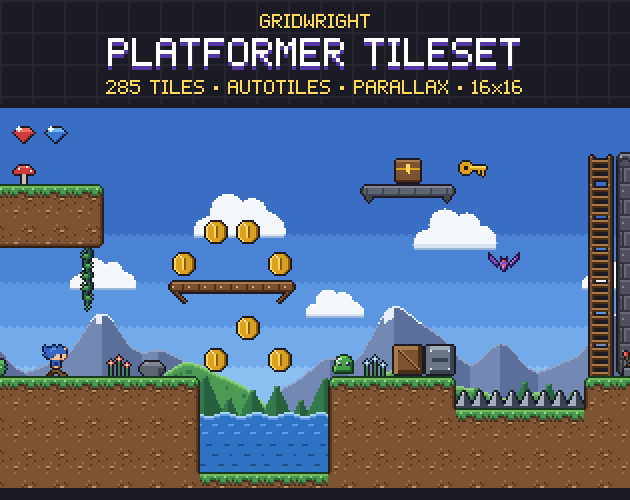
- Platformer Tilesets: Slopes One-Way Platforms and ParallaxHow to build platformer levels from a tileset: slopes that don't snag, one-way platforms you can drop through, and parallax backgrounds in Godot 4.12 Nov 2026
- Pixel Art Game UI: Health Bars and Inventories in a Clean HUDHow to build pixel art game UI: heart and fill health bars, a delayed damage bar, inventory grids, HUD corners and crisp text in Godot 4.8 Nov 2026
- Seamless Weather in 2D Games: Rain Snow and Fog That Don't RepeatWhy looping rain, snow and fog show their seam and their repeat, and how to hide both with layers, particles, wind and slow fog in Godot 4.8 Nov 2026
More tools
- Isometric BuilderIsometric maps and scenes
- Tile ModelerLow-poly 3D models and levels from 2D tiles
- Pixel Art Size CalculatorThe right sprite, tile and canvas sizes
- Dungeon & Map GeneratorDungeon, cave and overworld maps
- Autotile BuilderComplete autotile sets from a small template
- Farmer GeneratorFarming RPG characters with every animation
- Hero CreatorSide-view platformer heroes
- Ship BuilderModular pixel spaceships
- Planet GeneratorRotating pixel planets
- PixelatorPixel art from any picture
- Normal MapsNormal maps for 2D lighting
- CRT FilterRetro screen looks for screenshots and trailers
- Sprite Sheet CutterSingle frames from a sprite sheet
- Palette SwapperNew colours for any sprite or sheet
- Sprite Sheet MakerOne sprite sheet from many frames
- Pixel Art UpscalerBigger pixel art without blur
- Pixel Art Background RemoverTransparent sprites from a flat background
- Pixel Palette & Shading Ramp MakerShading ramps and palettes for pixel art
- Pixel Art EditorPixel art drawn in your browser
- Sprite Animation PreviewerYour animation played, checked and lined up
- GIF to Sprite SheetSprite sheets and frames from animated GIFs
- Color Palette ExtractorThe palette of any picture, with pixel counts
- Tileset ExtractorThe tileset of a map picture, and the map to rebuild it
- Sound Effect GeneratorGame sound effects, from retro to sci-fi
- Particle FX BakerLooping pixel-art effects
- 3D Sprite Rotator4, 8 and 16 direction sprite sheets
- Seamless Texture MakerSeamless textures from your photos
- Chiptune ComposerChiptune music and loops for your game
- Pixel Tree & Plant GeneratorPixel-art trees and plants, with wind