A platformer tileset looks simple: ground, a few platforms, something to jump over. Most of the trouble starts when the tiles meet the physics. A slope that snags the player, a platform that can't be dropped through, a background that jitters when the camera moves. This guide goes through the three parts of a platformer level that cause the most questions, slopes, one-way platforms and parallax backgrounds, with the Godot 4 settings for each and what to look for in a tileset.
Measure your hero before you draw a level
Every platformer level is built around one number: how far the hero can jump. Count it in tiles. If the hero jumps three tiles high and five across, a ledge four tiles up is a wall and a gap of six is a pit. Write those numbers down before you paint anything, and keep them the same for the whole game, or players will miss jumps they thought they could make.
- Gaps the player must clear should be one tile shorter than the full jump, so a slightly late jump still lands.
- Ledges the player can climb should be one tile lower than the full jump height.
- Ceilings over a jump need at least one free tile above the top of the arc, or the hero bonks their head.
- Teach each new jump where a miss costs little, then reuse it over a pit.
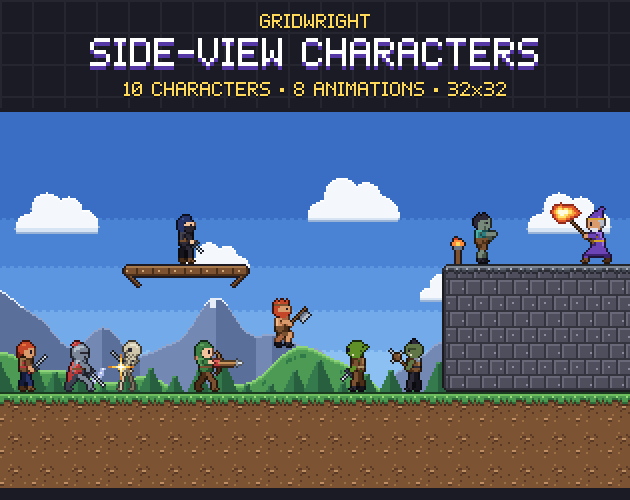
Tile size and character size work together. A 32x32 character on 16x16 tiles is two tiles tall, which reads well and leaves room for low tunnels the hero has to crouch or roll through if your game has those moves. Side-View Characters are 32x32 with the pivot at the bottom centre in every frame, so the feet stay on the tile when an animation changes, and its JSON gives each attack's hit frame and hitbox.
Ground and walls: autotiles save hours
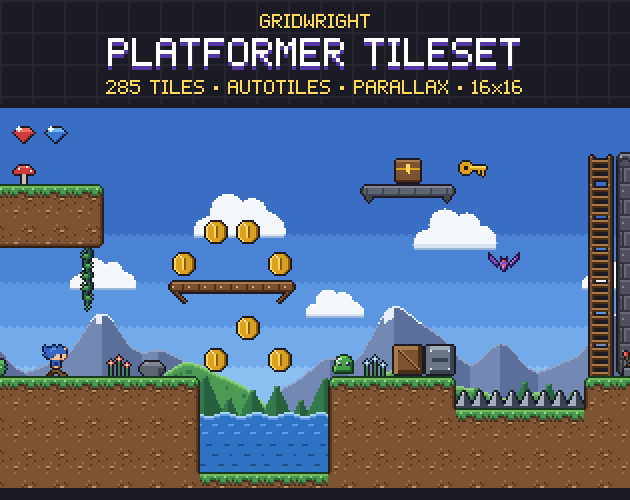
In a side view, ground tiles need a top cap, side edges and corners that round off. A 47-tile autotile covers every combination of neighbours, so you can paint a hill, a floating island or a cave with one brush and get the right edge pieces everywhere. The Platformer Tileset has 47-tile sets for grass, stone, snow and sand, 188 tiles in all, with caps on top, edges on the sides and rounded corners. The neighbour bitmask is in every terrain file name and in tiles.json, so the sets can be wired to any engine. If you need a terrain of your own, the Autotile Builder turns one small template into a full 47-tile set with Godot and Tiled files.
Slopes: two angles and three settings
Slopes are where pixel art and physics meet hardest. In pixel art, two angles stay clean: one pixel up for one across (45 degrees) and one up for two across (about 26.6 degrees). Other angles make stair-step lines that look ragged at 16 px. A slope set usually needs a full-tile ramp for each angle, the two half-height pieces for the gentle one, and inside and outside pieces where the slope meets flat ground, for both directions.
A note on our own pack: the Platformer Tileset is built from square terrain, platforms and ladders, and it has no slope pieces. If your game needs slopes, draw them in the same palette at the two angles above, so they sit next to the square tiles without a change of style.
On the physics side, Godot's CharacterBody2D has the settings that decide how slopes feel. Its reference gives these defaults:
- floor_max_angle is about 45 degrees (0.785 radians). Anything steeper counts as a wall during move_and_slide, so a 45-degree slope sits right on the limit; raise it a little if your 45-degree ramps behave like walls.
- floor_snap_length is 1.0. Snapping keeps the body on the slope while it walks down; raise it if the hero hops off the top of every downhill slope.
- floor_stop_on_slope is true, so a hero standing still doesn't slide down.
- floor_constant_speed is false. Turn it on and the hero moves at the same speed up and down a slope, which most players expect in a platformer.
For the tiles themselves, draw each slope's collision polygon in the TileSet editor on a physics layer, following the slope's surface exactly. Godot's TileSet guide notes that pressing F with the TileSet editor focused makes a rectangle shape quickly, which covers the flat tiles; the slopes need their polygons drawn by hand.
One-way platforms you can jump through
A one-way platform lets the player jump up through it from below and land on top. Wooden ledges, branches and chains in a castle all work this way. Godot supports it on both nodes and tiles. On a CollisionShape2D, one_way_collision makes the shape detect collision on one side only, and one_way_collision_margin, 1 pixel by default, makes it thicker; the reference says higher values work better for bodies that enter the shape at high speed. On tiles, TileData has set_collision_polygon_one_way and a one-way margin for each collision polygon.
- Keep one-way platforms thin in the art, a plank or a ledge, so players can tell them from solid ground at a glance.
- Raise the margin if a falling hero sometimes passes straight through a platform.
- For dropping down, a common way is to take one-way platforms out of the hero's collision mask for a few frames when the player presses down and jump.
- Never put a one-way platform over a pit as the only way across until the player has used one somewhere safe.
The Platformer Tileset's platforms, ladders, vines, chains and spikes are 26 pieces on the same 16x16 grid, next to water and lava with 4-frame animated surfaces, and 28 props such as crates, a lever, a button, a spring, a door and signs.
Parallax backgrounds that don't jitter
Parallax gives a flat level depth: far layers move slower than the camera, near ones faster. Since Godot 4.3 the node for it is Parallax2D. Its scroll_scale is 1 by default, which moves the layer with the camera; lower values look farther away and 0 freezes the layer. repeat_size makes a layer loop, and an axis left at 0 doesn't repeat. repeat_times draws more copies, which helps when the camera zooms out, and autoscroll moves a layer on its own in pixels per second, the usual way to drift clouds.
- Make every looping layer seamless at its repeat size, or the seam crosses the screen every few seconds.
- Use fewer, bolder layers far away and darker, more detailed ones up close, so the layers separate when they move.
- If the background shimmers while the camera moves, snap the camera and the layers to whole pixels; our Godot Pixel-Perfect Setup gives the project settings and a camera script for that.
The Platformer Tileset comes with its own parallax set: sky, clouds, mountains, hills and forest at 256x144, seamless, in day and dusk. For more places, Parallax Backgrounds has 48 backgrounds, 12 scenes at dawn, day, sunset and night, each 6 to 7 layers that repeat without a seam, with a Godot 4.3+ project that has one Parallax2D scene per background with its factors and repeat size set. We wrote the full method in how to make parallax backgrounds for a 2D game.
Feedback that sells the jump
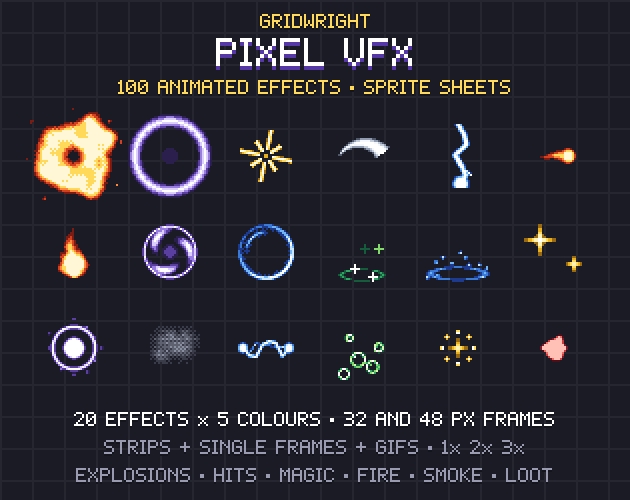
Small effects tell the player the physics worked: a puff of dust on landing, a ring when they stomp, a burst when they grab a coin. Side-View Characters includes landing dust and running dust frames. Pixel VFX adds a Dust puff for landings and dashes, a Shockwave ground ring for stomps, a Splash for water and a Pickup burst for coins and loot, on 32x32 frames at 12 fps. Play the landing puff at the hero's feet on the frame is_on_floor turns true, and the platformer starts to feel solid.
A platformer tileset checklist
- The hero's jump is measured in tiles and the level follows it.
- Ground uses an autotile with caps, edges and rounded corners.
- Slopes are drawn at clean angles and the CharacterBody2D settings match them.
- One-way platforms look thin and can be dropped through.
- Parallax layers loop without a seam and don't jitter.
- Landing, stomping and pickups each have an effect.
The Platformer Tileset, Side-View Characters and Pixel VFX are on Gridwright, each bought once with a free sample to try first.
Gridwright packs can be used in commercial games; you may not resell the files themselves. Packs released from October 28, 2026 ask for a credit: “Art by Gridwright” with a link. The packs here came out before that, so for them a credit is optional. More in can I use game assets in a commercial game.