What's in the pack
Pixel art weather for 2D games: 33 overlays that repeat across the screen and loop without a seam, 35 particles and set pieces, 36 animated weather icons, 8 screen tints and 18 presets. Rain, storms, snow, blizzards, hail, fog, falling leaves and cherry petals, sandstorms, fireflies, embers, ash, bubbles, god rays, cloud shadows and lightning. For top-down RPGs, farming and life sims, platformers, isometric games and visual novels.
Licence in one line: use them in your commercial games; do not resell the files. No credit required.
What you get
- 33 overlays as 128x128 tiles (722 frames): rain (light, medium, heavy, windy, storm), ground splashes and rain on water, snow (light, medium, heavy), blizzard, hail, thin and thick fog, autumn leaves, green leaves, cherry petals, sandstorm and sand haze, fireflies, dust motes, embers, ash, bubbles, god rays and cloud shadows.
- Seamless in space and time: each tile repeats left-right and up-down, and the last frame flows into the first. The build checks both for every overlay.
- 25 particles in 16x16 cells for your particle system: raindrops, splash, ripple, 5 snowflakes, snow landing, hailstone and bounce, leaves and a petal that tumble, firefly, ember, ash, dust mote, bubble rise and pop.
- 10 set pieces: 3 lightning bolts (64x192: leader, flash, flicker, restrike, fade) with a ground impact, wind gusts in 2 shapes (left and right), a dust tornado and a rainbow.
- 36 icons (32x32): 24 weather icons as 8-frame loops (sunny, rain, thunderstorm, snow, fog, wind, sandstorm, tornado, rainbow, hot, cold, night...), 4 seasons and 8 moon phases.
- 8 tints (night, dusk, dawn, storm, overcast, cold, heat, underwater) and 18 presets (thunderstorm, blizzard, foggy morning, summer night, sandstorm, volcano...) that say which layers to stack.
Made to drop in
- The numbers are in the files: every sheet has a JSON with each frame's rectangle, the fps, loop, the anchor, and for overlays the opacity and blend to draw them at. One weather.json lists everything.
- Engine steps in the README for Godot, Unity and GameMaker (RPG Maker needs an overlay plugin).
- Every frame also as its own PNG, plus sheets, at 1x, 2x and 3x, and the palette (.hex, .gpl).
- Drawn at 1x for 16x16-tile games: 1-bit alpha, 1 px rain, no outlines on the weather.
- The screenshots use Gridwright Medieval Village, Farm, Platformer Tileset and Isometric Tiles (each sold separately, not included).
What it does not include
No sound, no shaders, no engine project or weather system script: these are sprites and tiles you play in your engine. No sky backgrounds. The art is drawn at 1x; the 2x and 3x files are scaled copies.
Licence
Use and modify in personal and commercial projects. Shipping the assets inside your game is fine. No resale or redistribution of the assets, modified or not. Credit is appreciated, not required. Not for AI training or NFTs.
At a glance
- Shelf
- Effects
- View
- Top-down
- Contents
- 33 overlays
- Files
- PNG, JSON
- Engine files or notes
- Godot, Unity, GameMaker, RPG Maker
- Full pack
- 9.6 MB
- Free sample
- 2.0 MB
- Licence
- Use it in your games, commercial ones too; the files themselves can't be resold or shared
Use it in Godot, Unity, GameMaker or RPG Maker
Godot
- Copy the pack's folder into your project.
- Keep the pixels sharp: Project Settings › Rendering › Textures › Canvas Textures › Default Texture Filter: Nearest.
- Its Godot files or notes, named in the README, set up the rest.
Unity
- Drop the PNGs into Assets.
- In each texture's Inspector: Filter Mode Point (no filter), Compression None.
- Slice the sheets in the Sprite Editor.
GameMaker
- Import each sheet as a Sprite (Import Strip Image for strips).
- Turn off Interpolate colours between pixels in Game Options › Graphics, so the pixels stay sharp.
RPG Maker
- Copy the sheets into your project's img folder (tilesets or characters), as the README says.
- Set up tiles in the Database's Tilesets tab.
Guides for this pack
- Seamless Weather in 2D Games: Rain Snow and Fog That Don't RepeatWhy looping rain, snow and fog show their seam and their repeat, and how to hide both with layers, particles, wind and slow fog in Godot 4.8 Nov 2026
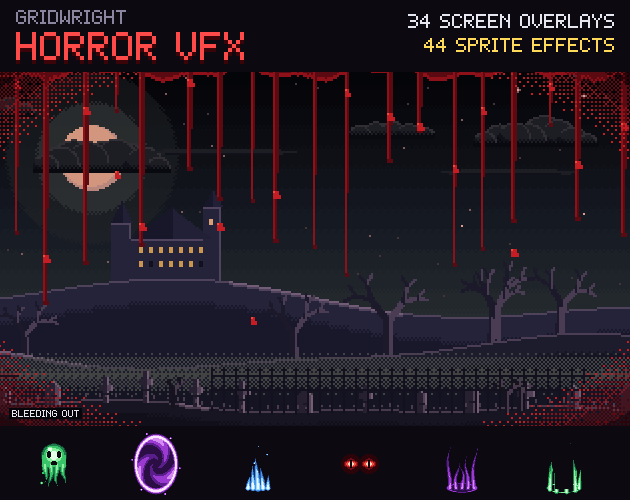
- Horror Screen Effects for Games: VHS Blood and FlashlightHow horror games use full-screen overlays: VHS static, blood, heartbeat edges, fog and flashlight masks, and how to layer them in any engine.30 Oct 2026