What's in the pack
704 retro game sound effects: 352 sounds, each in an 8-bit and a 16-bit version, as WAV and OGG. Menus, dialogue blips, coins, power-ups, jumps, footsteps, lasers, explosions, hits, magic, doors, alarms, jingles, creatures and more, 12 of them seamless loops. For platformers, RPGs, shmups, arcade, puzzle and jam games.
Licence in one line: use them in your commercial games; do not resell the sounds. No credit required.
Two versions of every sound
- 8-bit: pulse waves (12.5/25/50/75%), a 16-step triangle, 1-bit noise and "metal" noise, with pitch and volume stepping at frame rate like the 8-bit consoles.
- 16-bit: FM tones, smooth filtered noise, soft triangles, a gentle low-pass and echo on longer sounds.
- The same file name in both folders (WAV/8-bit/pickups/coin_01.wav and WAV/16-bit/pickups/coin_01.wav), so you can swap the whole set by changing one folder.
What you get
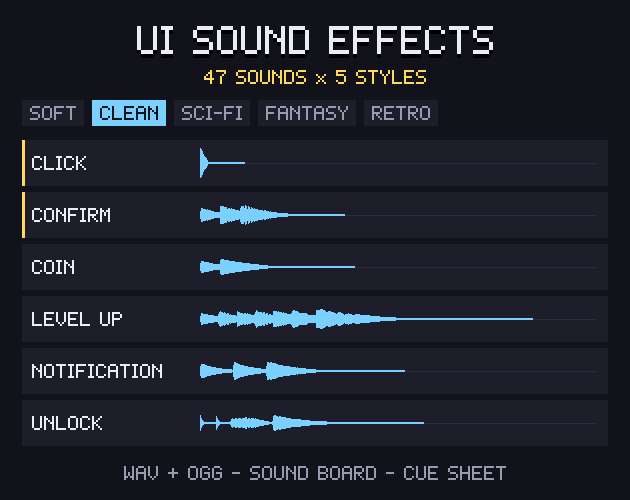
- UI and menus (37 x 2 = 74): menu click, cursor move / hover, confirm / accept, cancel / back, error / not allowed, menu opens, menu closes, toggle on, toggle off, slider tick, keyboard key / typing, notification, pause, unpause.
- Dialogue blips (26 x 2 = 52): dialogue voice "tiny", dialogue voice "pip", dialogue voice "mid", dialogue voice "deep", dialogue voice "robot", dialogue voice "gruff", dialogue voice "ghost", dialogue voice "chirp", text finished, next text box.
- Coins and pickups (22 x 2 = 44): coin, gem / crystal, item pickup, key pickup, heart / health pickup, ammo pickup, purchase / cash.
- Power-ups (16 x 2 = 32): power-up, level up, extra life, invincible / star, power down.
- Jumps and landings (16 x 2 = 32): jump, double jump, spring / bounce, landing, landing (heavy).
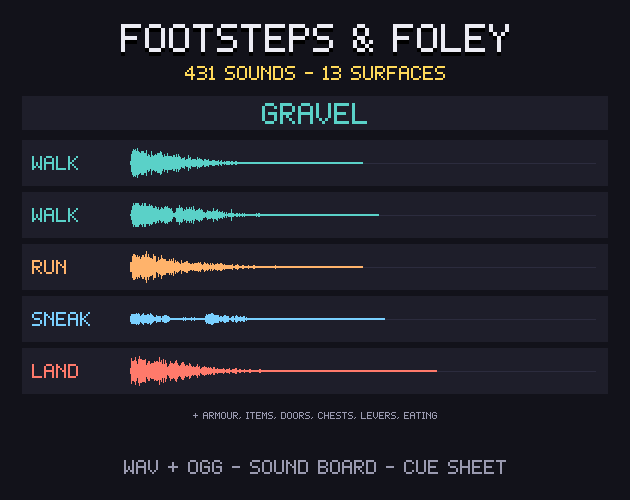
- Footsteps (16 x 2 = 32): footstep on stone, footstep on grass, footstep on wood, footstep on metal.
- Lasers and shots (20 x 2 = 40): laser, blaster, charged shot, machine gun burst, plasma shot, rocket launch.
- Explosions (13 x 2 = 26): small explosion, medium explosion, big explosion, distant explosion, bomb fuse then boom.
- Hits and blocks (16 x 2 = 32): punch, hit, critical hit, block / shield hit, slash hit.
- Hurt (12 x 2 = 24): player hurt, enemy hurt.
- Death and defeat (10 x 2 = 20): player dies, enemy dies, boss defeated.
- Melee and weapons (14 x 2 = 28): sword swing / whoosh, heavy swing, bow shot, arrow hits, throw.
- Magic (20 x 2 = 40): fire spell, ice spell, lightning spell, heal, buff / stat up, debuff / stat down, poison, summon.
- Teleport and time (10 x 2 = 20): teleport, warp / portal, rewind, time stop.
- Doors and mechanisms (16 x 2 = 32): door opens, door closes, door closes (heavy), locked, switch / button, lever, chest opens, secret wall / rumble, elevator / platform (loop).
- Alarms and timers (14 x 2 = 28): siren (loop), beeping alarm (loop), klaxon (loop), countdown beep, countdown: go, clock tick, clock tock, warning, low health beep (loop), heartbeat (loop), time up.
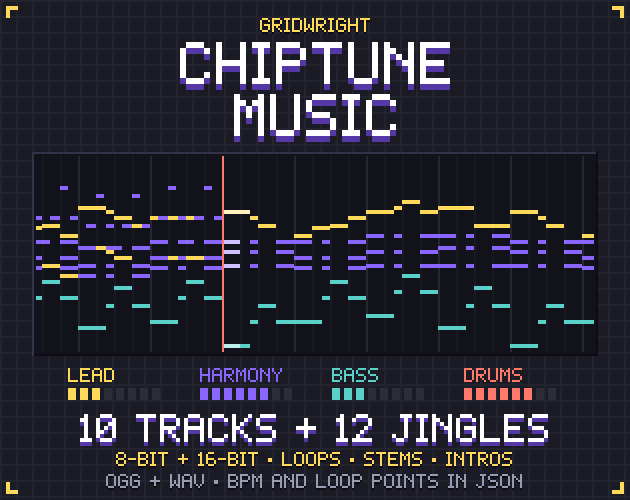
- Jingles (18 x 2 = 36): level complete, victory fanfare, game over, secret found, item get, quest complete, game saved, shop / bell, press start.
- Creatures (16 x 2 = 32): slime, bat squeaks, monster roar, small creature / bird, ghost wail, robot voice.
- Sci-fi and machines (14 x 2 = 28): engine hum (loop), thruster burst, shield up, shield hum (loop), computer beeps, scanner, machine powers down, machine powers up.
- Water, weather and world (16 x 2 = 32): splash, bubble, water drip, wind (loop), rain (loop), campfire crackle (loop), thunder, dig, crate breaks, glass breaks.
- Score and combo (10 x 2 = 20): score count tick, combo (rising), bonus, multiplier up, new high score.
Made for game work
- WAV 44.1 kHz 16-bit mono + OGG Vorbis of every sound.
- Loudness-matched (K-weighted short-term loudness, -12 dB): 85% of the files are within 1 dB; sounds with sharp peaks stay at the -1 dBFS peak limit. Never clipped, trimmed, no DC, a 5 ms fade-out.
- Loops with loop points: the WAVs carry a "smpl" loop chunk (Godot 4 imports them as loops by itself), the OGGs carry LOOPSTART/LOOPLENGTH (the RPG Maker convention).
- Cue sheet (CSV + JSON): every file with its version, group, description, length, peak, loudness and loop points.
- soundboard.html: open it in your browser and click through every sound, offline, with search and an 8-bit/16-bit switch.
- Names that say what each sound is: coin_01, jump_03, explosion_big_02, door_open_01, alarm_loop_01, blip_robot_high.
- Plays in Godot, Unity, GameMaker, RPG Maker, Construct, Phaser, LOVE and anything else that plays WAV or OGG.
What it does not include
No music tracks (only short jingles and stingers), no voices or recordings, no stereo or 48 kHz files, no synthesiser source code. The 16-bit versions of the longer sounds have a short echo tail; use the 8-bit versions if you need them dry.
Licence
Use and edit in personal and commercial projects; shipping the sounds inside your game is fine. No resale or redistribution of the sounds, edited or not, and no registering them with content-ID systems. Credit is appreciated, not required. Not for AI training or NFTs.
At a glance
- Shelf
- Music & sound
- View
- Side-view
- Files
- JSON, WAV, OGG
- Engine files or notes
- Godot, Unity, GameMaker, RPG Maker, Construct
- Full pack
- 31 MB
- Free sample
- 7.6 MB
- Licence
- Use it in your games, commercial ones too; the files themselves can't be resold or shared
Use it in Godot, Unity, GameMaker or RPG Maker
Godot
- Copy the pack's folder into your project.
- Keep the pixels sharp: Project Settings › Rendering › Textures › Canvas Textures › Default Texture Filter: Nearest.
- Its Godot files or notes, named in the README, set up the rest.
Unity
- Drop the PNGs into Assets.
- In each texture's Inspector: Filter Mode Point (no filter), Compression None.
- Slice the sheets in the Sprite Editor.
GameMaker
- Import each sheet as a Sprite (Import Strip Image for strips).
- Turn off Interpolate colours between pixels in Game Options › Graphics, so the pixels stay sharp.
RPG Maker
- Copy the sheets into your project's img folder (tilesets or characters), as the README says.
- Set up tiles in the Database's Tilesets tab.
Guides for this pack
- Chiptune vs Orchestral Game Music: How Indie Devs ChooseChiptune or orchestral music for your indie game: the effort, file size, looping, mood, how each mixes with sound effects and when a hybrid works.10 Nov 2026
- Bfxr vs ChipTone vs jfxr: Free Game Sound GeneratorsBfxr, ChipTone, jfxr and a browser sound generator compared: what each makes, how it exports and what it says about using the sounds in your game.5 Nov 2026
- Game UI Sound Effects: The Checklist for Menus and ButtonsWhich interface sounds a game needs, how to keep them consistent and quiet enough to repeat, and how to hook them up to menus in any engine.2 Nov 2026
- PSX Style Textures in Godot 4: Crisp Pixels and Vertex SnapHow to set up low-res PS1 style textures in Godot 4: import settings, nearest filtering, a 480x270 view, vertex snapping and seamless tiling.29 Oct 2026