What's in the pack
419 horror sound effects for games: 194 one-shots, each in a Dry and a Reverb version, plus 31 seamless stereo loops (14 minutes of ambience, drones, heartbeats, breathing and static), as WAV and OGG. Jumpscares, stingers, risers, braams, footsteps on six surfaces, door creaks and slams, chains, metal groans, bells, a music box, whisper textures, ghost moans, radio, VHS, flashlights, flickering lights and a horror UI set. For survival horror, PSX-style horror, ghost stories, escape rooms, visual novels and Halloween jam games.
Licence in one line: use them in your commercial games; do not resell the sounds. No credit required.
Dry and Reverb, and loops that never click
- Dry: mono and close, for 3D audio and engines that add their own reverb zones.
- Reverb: stereo, the same sound in a room, hall or cave, ready for 2D games, menus and cut-scenes. No more sounds that stop abruptly.
- Loops: 10 ambiences (basement, old house wind, night forest, abandoned hospital, cave, storm, rain on a window, sewer, factory, graveyard), 8 drones, heartbeats at 60/90/130/170 bpm, breathing calm/heavy/panic, clock, radio and TV static, VHS hiss, light buzz and a music box. The WAVs carry a loop chunk (Godot imports them as loops), the OGGs LOOPSTART/LOOPLENGTH tags.
- The same file name in Dry and Reverb (WAV/Dry/doors/door_creak_01.wav and WAV/Reverb/doors/door_creak_01.wav).
What you get
- Jumpscares and stingers (18 x 2 = 36): 8 jumpscare hits (low boom + screeching cluster), 6 dissonant string stingers, 4 low piano cluster stingers.
- Risers, braams and swells (20 x 2 = 40): 5 tension risers (3 to 6 s), 3 risers that end in a jumpscare hit, 4 low brass braams, 4 reversed swells, 4 dark whooshes.
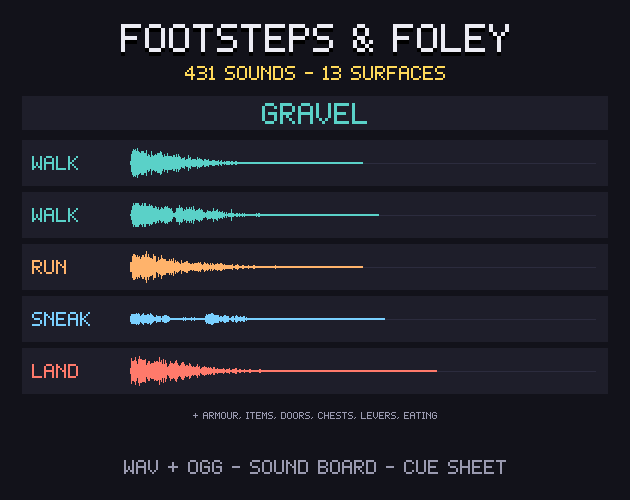
- Footsteps (30 x 2 = 60): wooden boards, stone, a metal grate, gravel, shallow water and a creaking floorboard, 5 of each.
- Doors and knocks (16 x 2 = 32): 5 creaks, 3 slams with rattle, 3 locked-handle rattles, 3 knock patterns, 2 latch clicks.
- Chains and metal (15 x 2 = 30): 4 chain rattles, 2 chain drags, 3 metal scrapes, 3 struck pipes with a long ring, 3 deep metal groans.
- Clocks, bells and music box (10 x 2 = 20): 3 clock chime phrases, 3 church bell tolls, 3 music box phrases, a music box winding down.
- Whispers and ghosts (12 x 2 = 24): 6 whisper-like noise textures (no voice, no words), 4 ghostly moans, 2 ghostly exhales.
- Heartbeats and breaths (8 x 2 = 16): 2 single heartbeats, 4 gasps, 2 shaky exhales.
- Radio, TV and VHS (18 x 2 = 36): 4 radio tunings, 3 static bursts, 3 VHS tape stops, 2 VHS rewinds, 4 signal glitches, 2 CRT TV switch-offs.
- Flashlights and lights (11 x 2 = 22): 2 flashlights on, 2 flashlights off, 2 wall switches, 3 flickering fluorescent lights, 2 bulb bursts.
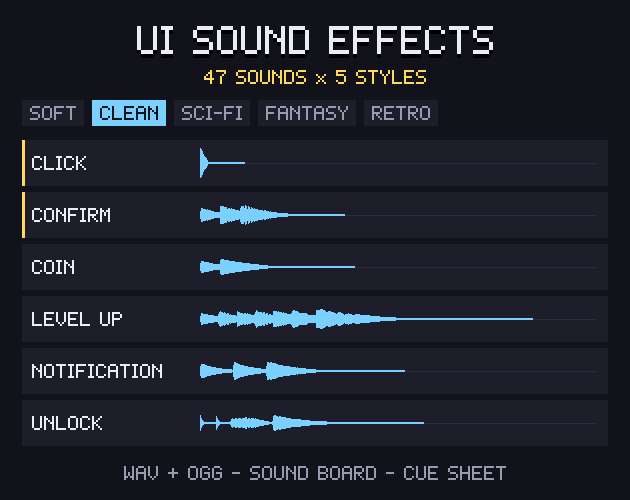
- Horror UI (17 x 2 = 34): inventory open and close, 3 selects, back, 3 item pick-ups, a key pick-up, 3 paper notes, typewriter save, locked, new objective, map unfold.
- Impacts, glass and weather (19 x 2 = 38): 3 glass breaks, 2 wood cracks, 2 body falls, 3 thunders (distant, long, close crack), 3 water drips, 3 wall scratches, 3 wind gusts.
- Ambience loops (10 loops): basement, old house wind, night forest, abandoned hospital, cave, storm, rain on a window, sewer, abandoned factory, graveyard at night (45 s each).
- Drone loops (8 loops): 5 dark drone beds and 3 tension drones with a high whine (24 s each).
- Heartbeat and breathing loops (7 loops): heartbeat at 60, 90, 130 and 170 bpm; breathing calm, heavy and panic (12 s each).
- Static, buzz and clock loops (6 loops): clock tick-tock, radio static, TV static, VHS tracking hiss with glitches, fluorescent light buzz, music box.
Made for game work
- WAV 44.1 kHz 16-bit + OGG Vorbis of every sound.
- Loudness-matched by kind: stingers -12 dB, one-shots -14 dB, body and static loops -18 dB, ambience beds -20 dB, so the beds sit under the effects. 83% of the files are within 1 dB of their target; peaks never over -1 dBFS.
- Five footsteps per surface (wood, stone, metal grate, gravel, shallow water, creaking floorboard) to play at random.
- Cue sheet (CSV + JSON): every file with its version, group, description, channels, length, peak, loudness, space and loop points.
- soundboard.html: open it in your browser and click through every sound, offline, with search and a Dry/Reverb switch.
- Names that say what each sound is: jumpscare_03, door_creak_02, step_water_04, chain_drag_01, amb_hospital_loop.
- Plays in Godot, Unity, Unreal, GameMaker, RPG Maker, Ren'Py, Construct and anything else that plays WAV or OGG.
What it does not include
No music tracks, no recorded voices, screams or words (the whispers are shaped noise), no gore splatter sounds, no 48 kHz or 24-bit files, no synthesiser source code.
Licence
Use and edit in personal and commercial projects; shipping the sounds inside your game is fine. No resale or redistribution of the sounds, edited or not, and no registering them with content-ID systems. Credit is appreciated, not required. Not for AI training or NFTs.
Retro game? Our Gridwright Retro Sound Effects has 700+ 8-bit and 16-bit sounds. Building a PSX-style level? Gridwright Tile Modeler makes low-poly models and levels from tiles.
At a glance
- Shelf
- Music & sound
- Files
- JSON, WAV, OGG
- Engine files or notes
- Godot, Unity, GameMaker, RPG Maker, Ren'Py, Construct
- Full pack
- 264 MB
- Free sample
- 34 MB
- Licence
- Use it in your games, commercial ones too; the files themselves can't be resold or shared
Use it in Godot, Unity, GameMaker or RPG Maker
Godot
- Copy the pack's folder into your project.
- Keep the pixels sharp: Project Settings › Rendering › Textures › Canvas Textures › Default Texture Filter: Nearest.
- Its Godot files or notes, named in the README, set up the rest.
Unity
- Drop the PNGs into Assets.
- In each texture's Inspector: Filter Mode Point (no filter), Compression None.
- Slice the sheets in the Sprite Editor.
GameMaker
- Import each sheet as a Sprite (Import Strip Image for strips).
- Turn off Interpolate colours between pixels in Game Options › Graphics, so the pixels stay sharp.
RPG Maker
- Copy the sheets into your project's img folder (tilesets or characters), as the README says.
- Set up tiles in the Database's Tilesets tab.
Guides for this pack
- Bfxr vs ChipTone vs jfxr: Free Game Sound GeneratorsBfxr, ChipTone, jfxr and a browser sound generator compared: what each makes, how it exports and what it says about using the sounds in your game.5 Nov 2026
- Horror Game Sound Design: Ambience Stingers and FootstepsHow to layer ambience beds, drones, stingers, footsteps and UI sounds so a horror game feels tense, with loudness numbers and loop tips.28 Oct 2026