
What's in the pack
A medieval army for isometric RTS and strategy games: 10 animated pixel art units, each in 4 team colours and 8 directions. 12,000 frames. Worker, swordsman, spearman, archer, crossbowman, halberdier, standard bearer, priest, captain and a mounted knight, in red, blue, green and yellow. Made for the 32x16 diamond of Gridwright Isometric Tiles and Isometric Castle & Siege, and for any 2:1 isometric map. For RTS, tactics, tower defense, city builders, auto-battlers and RPGs.
Licence in one line: use them in your commercial games; do not resell the files. No credit required.
Build scenes with this pack: every unit of it is in the Gridwright Isometric Builder, a map builder in your browser with all our isometric packs, which exports PNG, GIF, Tiled and Godot scenes.
Every direction is drawn, none is mirrored: the sword stays in the right hand and the light stays on the left. Only the team cloth changes between teams, and the JSON lists each team's six colours, so you can palette-swap them to any colour in your engine.
The units
- Worker: chops wood, mines, builds with a hammer, carries a sack. Chop 6, mine 6, build 6, carry 8 (walks with a sack).
- Swordsman: sword and kite shield: slash, block. Attack 7 (slash), block 4.
- Spearman: spear: a lunge; a round shield on the back. Attack 6 (lunge).
- Archer: longbow: draw, aim, shoot an arrow. Attack 7 (draw, aim, shoot an arrow).
- Crossbowman: crossbow: aim, shoot a bolt, crank to reload. Attack 8 (aim, shoot a bolt, crank to reload).
- Halberdier: plate armour, halberd: an overhead chop. Attack 7 (overhead chop).
- Standard Bearer: carries the team banner; rallies the troops. Rally 6 (raises and waves the banner).
- Priest: robe and staff: casts a heal. Heal 7 (raises the staff and casts).
- Captain: plumed helmet and cape: slash, gives orders. Attack 7 (slash), command 5 (points the sword, then raises it).
- Mounted Knight: a knight on a horse: lance and shield, gallops, charges with the lance. Walk, gallop, attack 6 (lowers the lance and charges); death: falls with the horse.
Every unit also has idle (4), walk (8), run (6), hurt (3) and death (7).
Made to drop in
- Exact cells: infantry 64x64 with the anchor at (32, 46), the knight 80x80 at (40, 60): the centre of a ground diamond. Nothing touches the cell's edges.
- A JSON per character with fps and loop, the anchor, hit frames and hit boxes per direction, spawn points for arrows and bolts and the ground speed per direction (the feet don't slide).
- One sheet per animation with a row per direction, and every frame as its own PNG in a folder per direction, at 1x, 2x and 3x, plus the palette (.hex, .gpl).
- An arrow and a crossbow bolt in 8 directions, a golden heal burst and shadow sprites (no baked shadows).
- The same cells, anchor and JSON format as Isometric Characters: heroes, monsters and armies share one code path.
- The scenes in the screenshots use Gridwright Isometric Tiles and Isometric Castle & Siege (sold separately, not included).
What it does not include
No tiles or buildings (sold separately as Isometric Tiles and Isometric Castle & Siege), no siege crews, no mounted archers, no portraits or UI, no sound, no Aseprite files and no engine project files or Unity package. The art is drawn at 1x; the 2x and 3x files are scaled copies.
Licence
Use and modify in personal and commercial projects. Shipping the units inside your game is fine. No resale or redistribution of the assets, modified or not. Credit is appreciated, not required. Not for AI training or NFTs.
At a glance
- Shelf
- Characters & creatures
- View
- Isometric
- Contents
- 12,000 Frames
- Files
- PNG, GIF, JSON
- Engine files or notes
- Godot, Tiled
- Full pack
- 75 MB
- Free sample
- 7.6 MB
- Licence
- Use it in your games, commercial ones too; the files themselves can't be resold or shared
Use it in Godot or Tiled
Godot
- Copy the pack's folder into your project.
- Keep the pixels sharp: Project Settings › Rendering › Textures › Canvas Textures › Default Texture Filter: Nearest.
- Its Godot files or notes, named in the README, set up the rest.
Tiled
- Add a tileset from the sheet (File › New › New Tileset…).
- Use the pack's own Tiled files where its README names them.
Guides for this pack
Goes well with
Isometric Hero Creator
$9.99Characters & creatures
Isometric Characters
$9.99Characters & creatures · 64x64, 2864 Frames
Isometric Animals
$9.99Characters & creatures · 64x64, 9,512 Frames
Isometric City People
$9.99Characters & creatures · 20 people
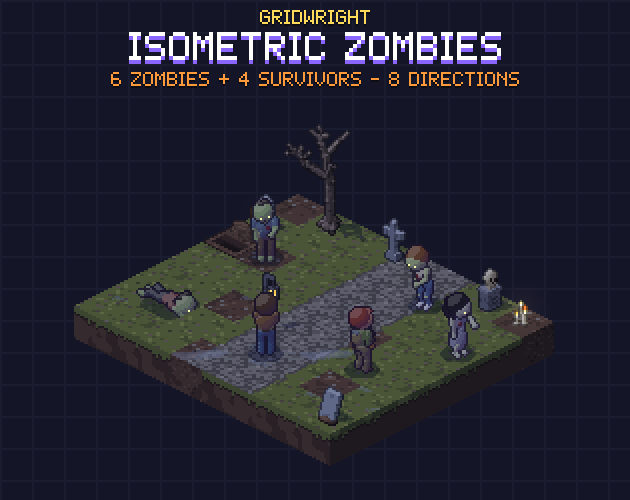
Isometric Zombies & Survivors
$9.99Characters & creatures · 64x64, 2,800 Frames